How to Use Arbor’s New Seller Report
Arbor’s new Seller Report is now available on the Arbor Intranet and is designed to help agents provide consistent, professional weekly updates to sellers throughout the listing process.
The report allows you to compile important listing activity in one place, including online exposure, showing feedback, marketing updates, and agent notes. The goal is to create a simple and organized way to communicate listing performance and maintain strong seller engagement week after week.
What the Seller Report Includes
The Seller Report includes fields for:
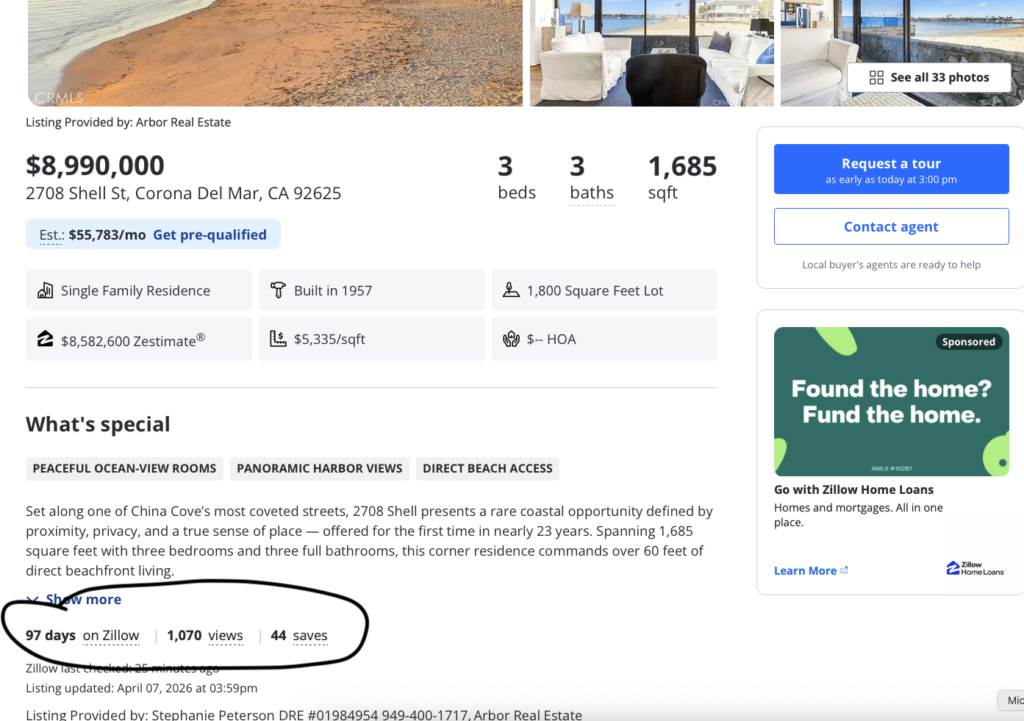
- Zillow views
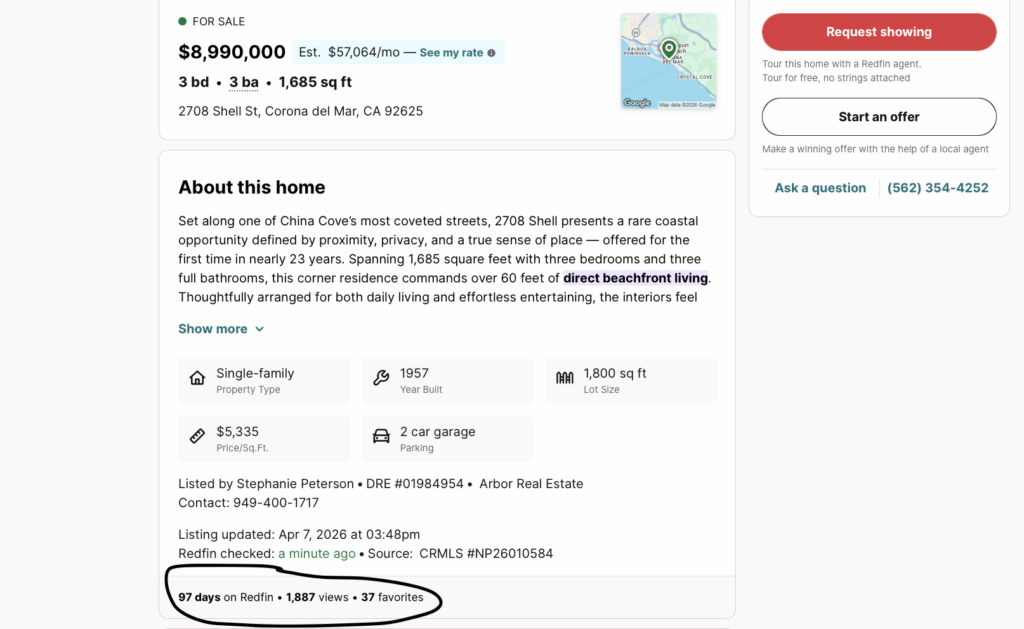
- Redfin views
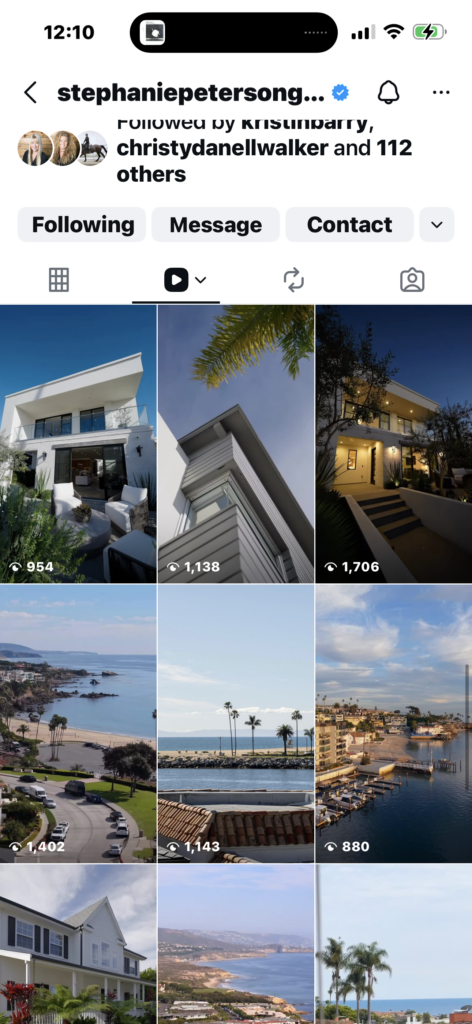
- Social media views and engagement
- Showing feedback
- Open house activity
- Marketing updates
- Pricing commentary
- Additional listing notes
The report does not automatically track or pull data. Agents will manually input the numbers and information each week before sending the report to their client.
Where to Find It
The Seller Report can be accessed through the Arbor Intranet.
How to Complete the Report
- Open the Seller Report from the Arbor Intranet
- Enter the property information
- Input digital view numbers from Zillow, Redfin, and social media platforms
- Add any showing feedback, marketing updates, or important notes
- Review the report for accuracy and completeness
- Send the completed report to your seller
Reference screenshots are included within the tool to show where Zillow and Redfin view numbers can be located.
Important Note
Once a report is sent, the report fields will clear. A new Seller Report should then be created for the following week’s update.
Weekly communication helps sellers feel informed, confident, and connected throughout the transaction process. Consistent reporting also reinforces your value, marketing efforts, and ongoing strategy as their agent.
Consistent communication creates confidence.
Thoughtful reporting helps sellers stay informed and engaged throughout the listing process.